What if your AI assistant could not only save you time but also adapt to the way you work? Mike Tholfsen takes a closer look at how Microsoft Copilot’s nine new features for 2026 are transforming productivity and collaboration with innovations that feel almost futuristic. From smarter file organization to AI-driven teamwork enhancements, these updates go beyond minor adjustments, they’re innovative. With the integration of OpenAI’s GPT 5.2 model, Copilot introduces two distinct “Thinking Modes” that let you prioritize either speed or depth, giving you more control over how you interact with AI. It’s a bold leap forward, redefining how we approach work and creativity.
This overview dives into how these features tackle real-world challenges, such as managing version histories, summarizing files, and enhancing collaboration in Microsoft Teams. AI-powered innovations like “Glance Cards” and “Copilot Chats” streamline information sharing, while advanced image editing in PowerPoint unlocks new creative possibilities. Whether you’re an educator crafting lesson plans or a professional managing complex projects, these updates are designed to empower users to work smarter and achieve more. What could this mean for the way you work in 2026?
Microsoft Copilot 2026 Updates
TL;DR Key Takeaways :
- Microsoft Copilot now integrates OpenAI’s GPT 5.2 model, introducing “Quick Response” and “Think Deeper” modes for tailored AI interactions, enhancing productivity and adaptability.
- New file management features include “Version History” for document tracking and OneDrive’s Copilot tools for file summarization and FAQ generation, simplifying organization and retrieval.
- Enhanced search functionality with “Glance Cards” and “Copilot Chats” streamlines information access by providing AI-generated summaries and integrating relevant chat histories.
- Microsoft Teams collaboration is improved with real-time agenda updates, collaborative content generation, and AI-driven insights, fostering efficient teamwork and communication.
- PowerPoint gains advanced image editing tools like background removal, auto-enhancement, and text effects, while educators benefit from the “Teach Module” for curriculum planning and lesson creation.
Advancements in AI Capabilities
At the heart of these updates is the integration of OpenAI’s GPT 5.2 model, which significantly improves Copilot’s natural language processing capabilities. This upgrade introduces two distinct “Thinking Modes” that allow you to tailor the AI’s behavior to suit your specific needs:
- Quick Response: Designed for fast-paced tasks, this mode delivers concise and instant answers, helping you save time when tackling straightforward queries.
- Think Deeper: Ideal for more complex or research-oriented tasks, this mode provides detailed and comprehensive responses, allowing you to dive deeper into intricate topics.
These modes empower you to optimize your interactions with Copilot, making sure that the AI adapts to your workflow and delivers the level of detail you require.
Improved Version Control and File Management
Managing your documents and files has become more intuitive with the introduction of the “Version History” feature for Copilot Pages. This tool allows you to view, restore, and manage previous versions of your documents, offering functionality similar to the version control systems in Word and Excel. This ensures that you can easily track changes and revert to earlier drafts when necessary.
Additionally, OneDrive now features a dedicated Copilot button, providing quick access to two powerful tools:
- File Summarization: Quickly grasp the key points of a document without needing to read through the entire content.
- FAQ Creation: Automatically generate frequently asked questions based on the content of your files, making it easier to share and explain information.
These enhancements simplify file management, helping you stay organized and retrieve critical information effortlessly.
New Microsoft Copilot Features
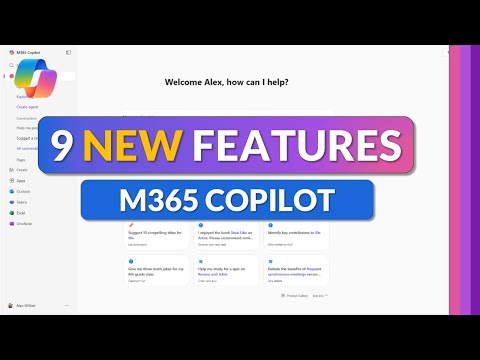
Explore further guides and articles from our vast library that you may find relevant to your interests in Microsoft Copilot.
Smarter and Faster Search Integration
The search functionality within Microsoft applications has been upgraded to make finding information faster and more intuitive. Two key features stand out:
- Glance Cards: AI-generated summaries of files now appear directly in search results, offering key details such as creation dates, content highlights, and relevant insights at a glance.
- Copilot Chats: Search results now integrate relevant chat histories, allowing you to revisit past conversations and filter information efficiently without switching between tools.
These tools streamline the process of locating and accessing information, saving you time and effort while improving overall productivity.
Enhanced Collaboration in Microsoft Teams
Collaboration within Microsoft Teams has been significantly enhanced with new Copilot features that make teamwork more dynamic and efficient. By integrating Copilot into Teams chats, you can now:
- Update meeting agendas in real-time, making sure everyone stays aligned on priorities.
- Generate content collaboratively, allowing team members to contribute ideas seamlessly.
- Assist discussions with AI-driven insights, providing valuable context and suggestions during conversations.
These tools foster a more productive team environment, allowing smoother communication and more effective collaboration across projects.
Advanced Image Editing in PowerPoint
PowerPoint users can now access advanced image editing tools powered by Microsoft Designer, making it easier to create visually compelling presentations. These tools include:
- Background Removal: Quickly remove unwanted backgrounds from images for cleaner visuals.
- Auto-Enhancement: Improve image quality automatically, making sure your visuals look polished and professional.
- Text Addition and Effects: Add text and creative effects to images, helping you deliver impactful presentations with minimal effort.
This integration simplifies the design process, allowing you to focus on crafting engaging content while maintaining a professional aesthetic.
Dedicated Tools for Educators
Educators now have access to the “Teach Module,” a suite of tools specifically designed to streamline teaching workflows and enhance the learning experience. Key features of this module include:
- Curriculum Planning: Tools aligned with educational standards to help you design effective lesson plans.
- Lesson Creation and Assessment: Simplify the process of creating lessons and evaluating student performance.
- Study Aids: Provide students with tailored resources to support their learning and improve outcomes.
These tools are tailored to meet the unique needs of educators, helping them save time while delivering high-quality teaching materials that align with their goals.
The Impact of These Features
The nine new features introduced in Microsoft Copilot for 2026 reflect a strong commitment to enhancing productivity and collaboration through advanced AI and user-centric design. Whether you’re managing files, conducting research, collaborating with teams, or planning lessons, these updates cater to a wide range of professional and personal needs.
By integrating smarter tools and more intuitive workflows, Microsoft Copilot continues to evolve as a powerful ally in modern work environments. These enhancements not only streamline daily tasks but also empower users to achieve more with less effort, making Copilot an indispensable tool for the future of work.
Media Credit: Mike Tholfsen
Latest Geeky Gadgets Deals
Disclosure: Some of our articles include affiliate links. If you buy something through one of these links, Geeky Gadgets may earn an affiliate commission. Learn about our Disclosure Policy.